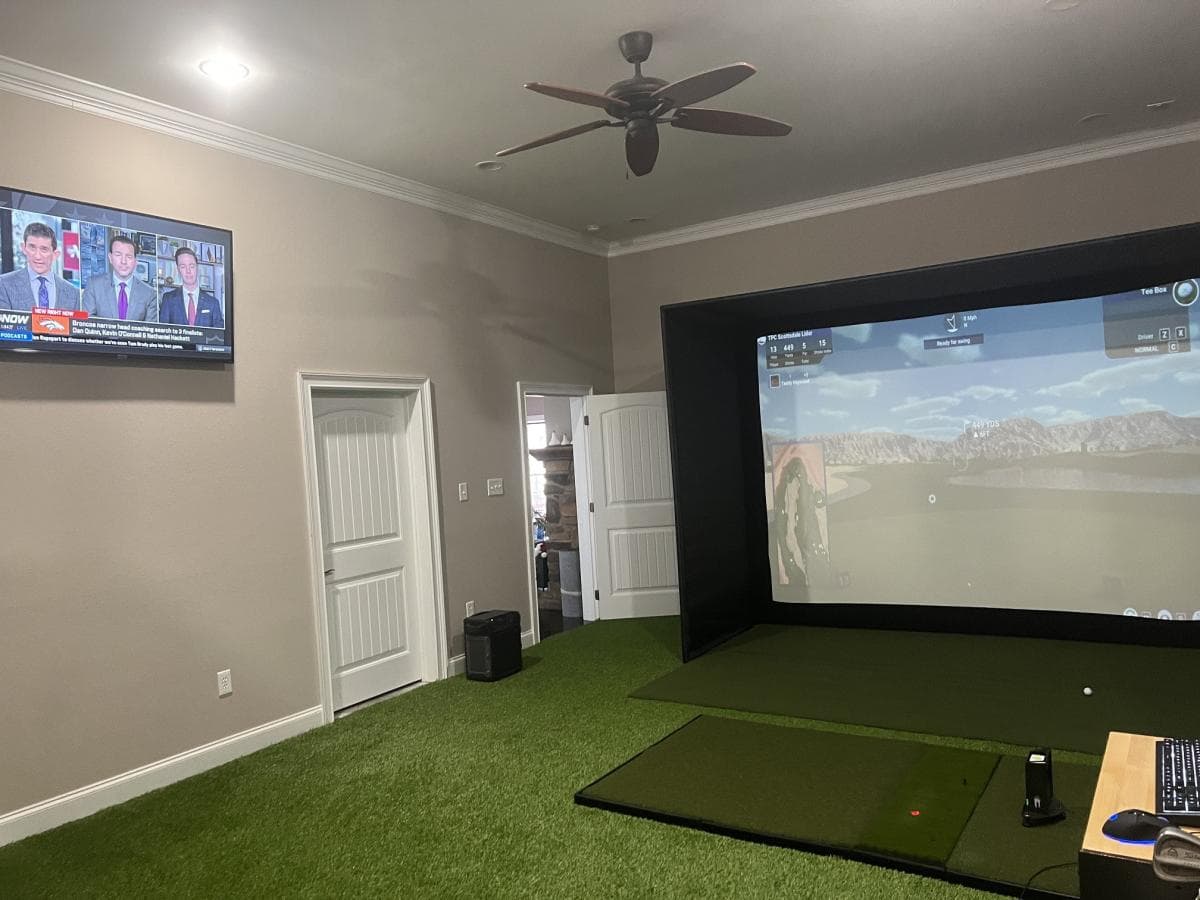
A home golf simulator is one of the best ways to practice consistently, improve ball striking, and play world-class courses without leaving home. While high-end setups can cost over $50,000, you can build a realistic and high-performing golf simulator for under $8,000 with the right components.
To create a setup that delivers accurate data, clear visuals, and a professional feel, several key components are required. A launch monitor is essential for tracking shot data. A projector provides high-quality visuals.
An enclosure and impact screen contain shots and offer a smooth display surface. A hitting mat ensures a natural feel underfoot. Finally, simulation software brings the entire system together for an interactive golf experience.
Step 1: Choosing the Right Launch Monitor
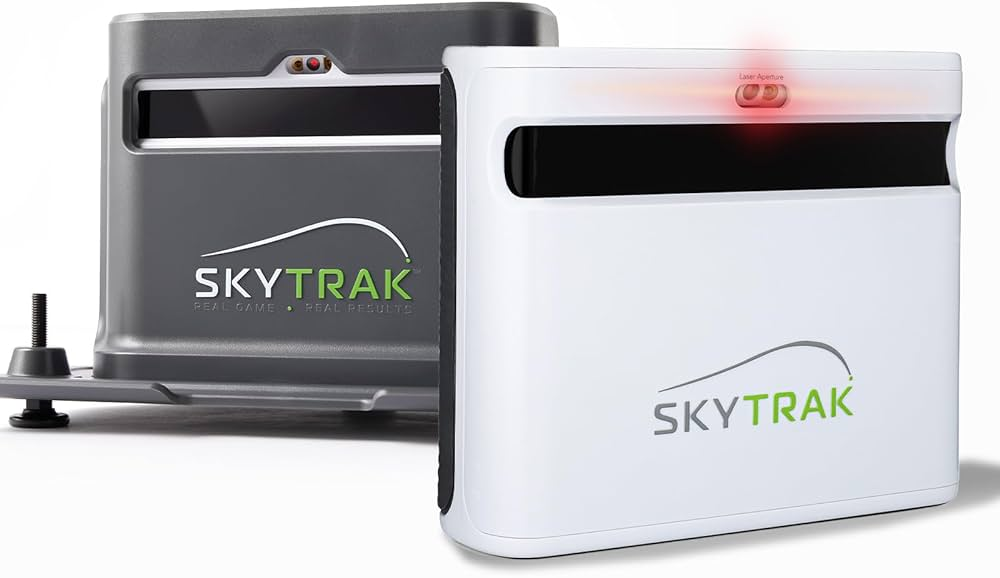
The launch monitor is the heart of a golf simulator. It tracks essential shot data like ball speed, spin rate, launch angle, carry distance, and shot shape. Without accurate readings, a simulator setup loses its value, making it important to select a model that provides precise feedback while staying within budget.
For a sub $8,000 build, the SkyTrak+ launch monitor, priced at $2,495, is the best option. It uses high-speed cameras instead of radar, making it well-suited for indoor use, where space is often limited. The device provides accurate measurements, allowing golfers to track performance and fine-tune their swings.
Unlike radar-based systems, which require extra depth to track full ball flight, SkyTrak+ works in smaller spaces without sacrificing accuracy. It also integrates with top simulation software, allowing golfers to play on real-world courses and analyze their ball flight.
For those looking for a professional-level experience without overspending, this launch monitor is a strong choice.
Check Out the SkyTrak+ Launch Monitor Here
Step 2: Selecting a Projector for Realistic Visuals
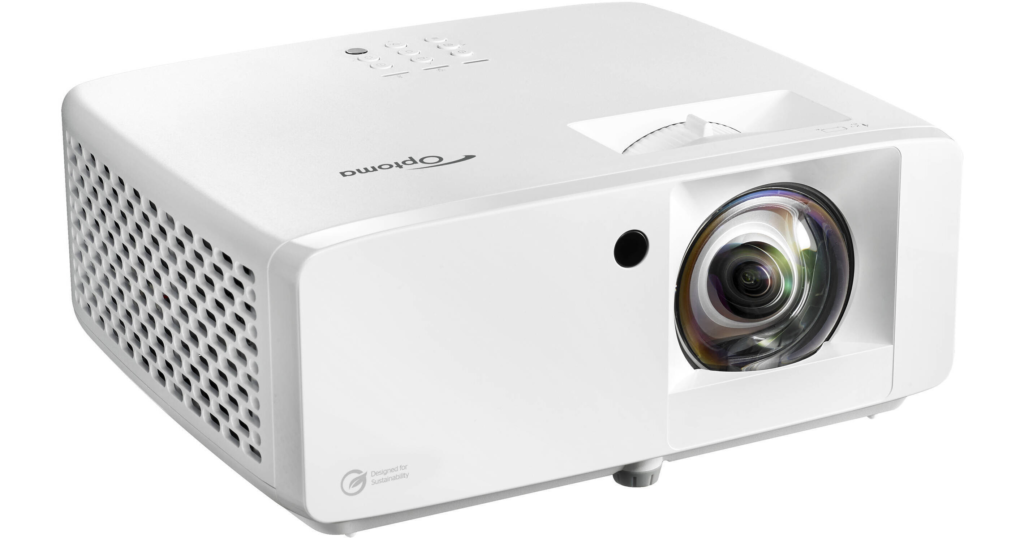
A high-quality projector is necessary to display courses, ball flight, and shot data clearly. The Optoma ZH400ST, priced at $1,499, is an excellent short-throw projector that produces a bright and sharp image, creating a more immersive golf experience.
Short-throw projectors are ideal for golf simulators because they can be placed closer to the screen without causing shadows. The Optoma ZH400ST produces 4,000 lumens of brightness, making it suitable for use in various lighting conditions.
The laser-based projection system ensures crisp contrast and high image clarity, helping golfers see detailed course visuals and shot feedback.
Proper positioning is essential to prevent distortion. Ceiling-mounted or floor-based setups ensure that the projector aligns correctly with the screen, maximizing clarity and playability.
Check Out the Optoma ZH400ST Projector Here
Step 3: Setting Up an Enclosure and Impact Screen
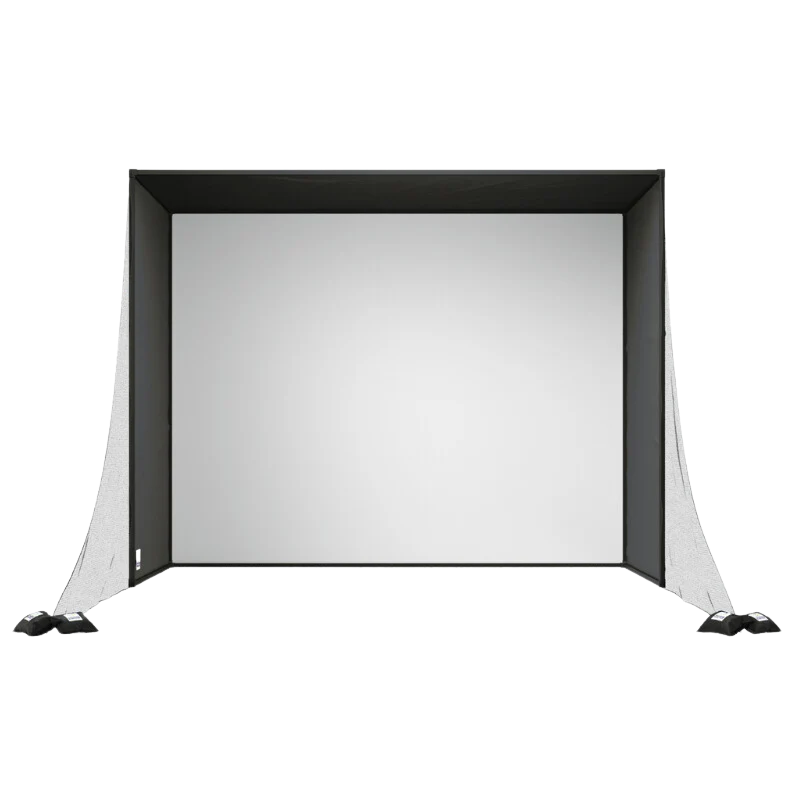
A golf simulator requires an enclosure and impact screen to contain shots, protect surroundings, and provide a smooth projection surface. The SwingBay Golf Simulator Enclosure, priced at $2,999, is a durable and professional-grade option.
The impact screen is designed to absorb golf ball strikes while maintaining a clear and vibrant display. This ensures the projected image remains sharp and immersive, enhancing the overall experience. The enclosure also prevents stray shots from hitting nearby walls or furniture, making it an essential safety feature.
SwingBay is designed for long-term use, making it suitable for garages, basements, or dedicated golf rooms. Its compatibility with various launch monitors and projectors makes it one of the best home golf simulators for a budget-friendly yet professional-quality setup.
Check Out the SwingBay Golf Simulator Enclosure Here
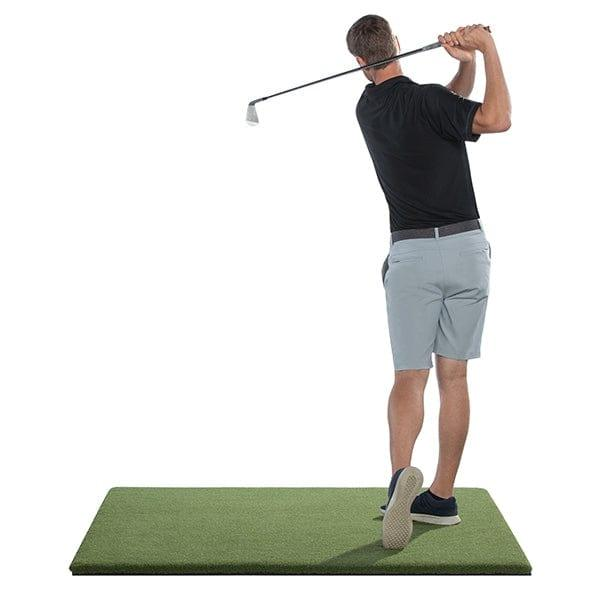
Step 4: Choosing a Realistic Hitting Mat
A high-quality hitting mat enhances the feel of a golf simulator. It provides a realistic surface, protects clubs, and reduces strain on wrists and joints. The SwingTurf Golf Mat, priced at $399, delivers a true fairway feel, making it one of the best options in this price range.
Unlike cheaper mats that feel too firm or wear out quickly, SwingTurf is designed to absorb shock while maintaining natural turf interaction. This balance ensures that golfers receive accurate feedback on ball striking while also reducing the impact on their body over time.
Durability is another key factor. A high-quality mat withstands repeated use, making it a smart investment for long-term practice sessions. Choosing a mat that provides comfort, accuracy, and longevity is essential for a golf simulator setup.
Check Out the SwingTurf Golf Mat Here
https://www.youtube.com/watch?v=_pJBQmVArII&t=2sStep 5: Ensuring the Right Space for Setup
A successful golf simulator setup depends on having enough room for unrestricted swings and accurate ball tracking. The necessary space for a golf simulator varies depending on the equipment used, but the following guidelines ensure a comfortable and effective playing area.
A minimum ceiling height of nine feet is required to accommodate full driver swings. However, taller players or those using oversized clubs may need ten feet or more.
The width should be at least ten to twelve feet to allow a free swing path, especially for setups used by both left- and right-handed players. A depth of at least fifteen feet ensures that the launch monitor has enough space to track ball flight accurately.
Garages, basements, and dedicated golf rooms are ideal locations for a simulator. If space is limited, a retractable enclosure or net-based system can provide a flexible solution that allows the simulator to be set up or stored as needed.
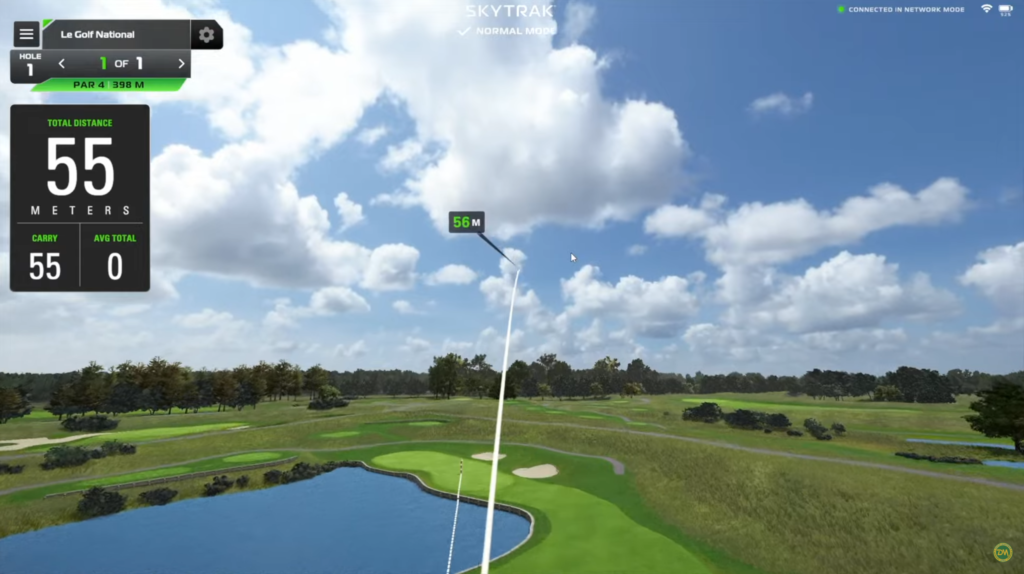
Step 6: Selecting Golf Simulation Software
The right software transforms a basic launch monitor into an engaging, full-course golf experience. The SkyTrak+ integrates with several top-tier simulation programs, each offering unique features.
E6 Connect is one of the most popular choices, providing a collection of real-world courses, multiplayer options, and in-depth shot analysis. The Golf Club 2019 features over 100,000 user-created courses, giving players endless variety. FSX Play offers a detailed swing analysis system, making it an excellent choice for those looking to refine their game.
Each software platform has different pricing models, with some requiring a one-time purchase while others offer annual subscriptions. Choosing the right software depends on whether a golfer prioritizes competitive play, detailed shot feedback, or course variety.
Final Thoughts: A High-Quality Golf Simulator on a Budget
A home golf simulator provides a year-round opportunity to practice, track performance, and refine swing mechanics without needing to visit a range. While high-end commercial simulators can cost well over $15,000, this $8,000 setup delivers a professional experience at a fraction of the cost.
With the SkyTrak+ launch monitor, Optoma projector, SwingBay enclosure, and SwingTurf hitting mat, this setup provides accurate shot tracking, high-quality visuals, and long-term durability without exceeding budget constraints.
Choosing the right components ensures that golfers can experience real-time shot feedback, immersive visuals, and a true-to-life playing experience at home.
Common DIY Mistakes to Avoid
Building a golf simulator yourself saves money, but several common mistakes can turn a straightforward project into an expensive headache. Knowing what to watch for before you start keeps the build on track.
The most frequent mistake is underestimating ceiling height requirements. Many golfers measure from the floor to the ceiling and assume nine feet is enough, but they forget to account for overhead light fixtures, ceiling fans, or HVAC ducts that reduce usable clearance. Measure from the floor to the lowest obstruction in your swing path, not just the ceiling itself. If your usable height is under nine feet, consider using shorter clubs during driver practice or switching to a space with more clearance.
Skipping the projector alignment step is another common issue. A projector that sits even slightly off-center creates a trapezoidal image on the screen that distorts course visuals and makes aiming feel unnatural. Use the keystone correction sparingly - it degrades image sharpness. Instead, take the time to physically position the projector so it projects a clean rectangle onto the screen without digital correction.
Many DIY builders also undersize their impact screen or mount it with too little tension. A loose screen absorbs less energy from the ball, causing louder impacts and faster wear. It also ripples during projection, which makes the image look blurry. Follow the manufacturer's tensioning guidelines carefully, and make sure the frame is anchored to studs or a sturdy structure rather than drywall alone.
Ignoring side netting is a mistake that becomes obvious the first time a shanked shot misses the screen and dents a wall or breaks something in the room. Side nets are inexpensive and take minutes to install. Even if your accuracy is decent, off-center mishits happen, and a $30 net prevents hundreds of dollars in damage.
Running the launch monitor without leveling it first leads to persistent data errors that are hard to diagnose. If the unit tilts even slightly, launch angle readings drift, spin calculations shift, and your ball flight on screen stops matching what you feel at impact. A small bubble level costs a few dollars and takes seconds to check. Make it part of your setup routine every time you practice.
Finally, choosing the wrong mat for your space creates problems over time. Thin rubber mats on concrete floors transmit vibration through your wrists and elbows, which leads to discomfort and can discourage regular practice. If your simulator sits on concrete, add a layer of foam padding beneath the mat or invest in a thicker mat with built-in shock absorption. Your joints will thank you after longer sessions.
Frequently Asked Questions
Can I build a golf simulator myself?
Yes. DIY simulator builds are common and can save significant money compared to complete packages. You'll need a launch monitor, impact screen, projector, enclosure frame, hitting mat, and simulator software.
How long does it take to build a golf simulator?
A basic DIY setup can be assembled in a weekend. More elaborate builds with custom enclosures, sound dampening, and integrated systems may take 1-2 weeks.
What tools do I need to build a golf simulator?
Basic tools include a drill, level, stud finder, measuring tape, and ladder. For enclosure assembly, you may need a saw for cutting frame pieces and basic hardware for mounting.
Related Articles
Check out these related guides and reviews from Par Percision: